Press kit
castlet is a free screen recorder that runs in your browser. Record your screen, camera and microphone, then cut out the parts you don't want, remove the sound if you like, and download it as MP4 or WebM. There is no account, no upload and no watermark: recordings are saved by the browser on your computer and are never uploaded. castlet has no backend.
Use the logos, screenshots and demo below when you write about castlet.
Key facts
- Free: no account, no watermark, no time limit. Supported by optional donations.
- Runs in your browser: nothing to install, though it can be installed as an app and used offline.
- Recordings stay on your computer: they are saved by your browser and only leave it when you download them.
- Browsers: Chrome and Edge on desktop support every feature. Firefox and Safari work too, without the floating camera window. Phones and tablets cannot record their screen in a browser.
- Formats: MP4 in Chrome, Edge and Safari; WebM in Firefox. You can cut out parts and remove the audio before downloading.
- Limits: as long as your disk has space. Recordings are written to disk as they go and stop safely if space runs low.
- Privacy and analytics: anonymous visit and click counts with Umami, no cookies, no personal data, never recordings. It can be turned off in Settings.
- Made by Hiplip.
Logo
The open c with the record dot in its gap. Use the light files on light backgrounds and the dark files on dark ones. Keep at least the dot's width of clear space around it, and don't recolour, rotate or redraw it.
-

Logo, light backgrounds
Logo for light backgrounds, SVG Logo for light backgrounds, PNG, 1024 px
-

Logo, dark backgrounds
Logo for dark backgrounds, SVG Logo for dark backgrounds, PNG, 1024 px
-

Symbol, light backgrounds
Symbol for light backgrounds, SVG Symbol for light backgrounds, PNG, 512 px
-

Symbol, dark backgrounds
Symbol for dark backgrounds, SVG Symbol for dark backgrounds, PNG, 512 px




Screenshots
Taken in the light theme at 1270 by 760 pixels. The shared screen is a made-up document.
-
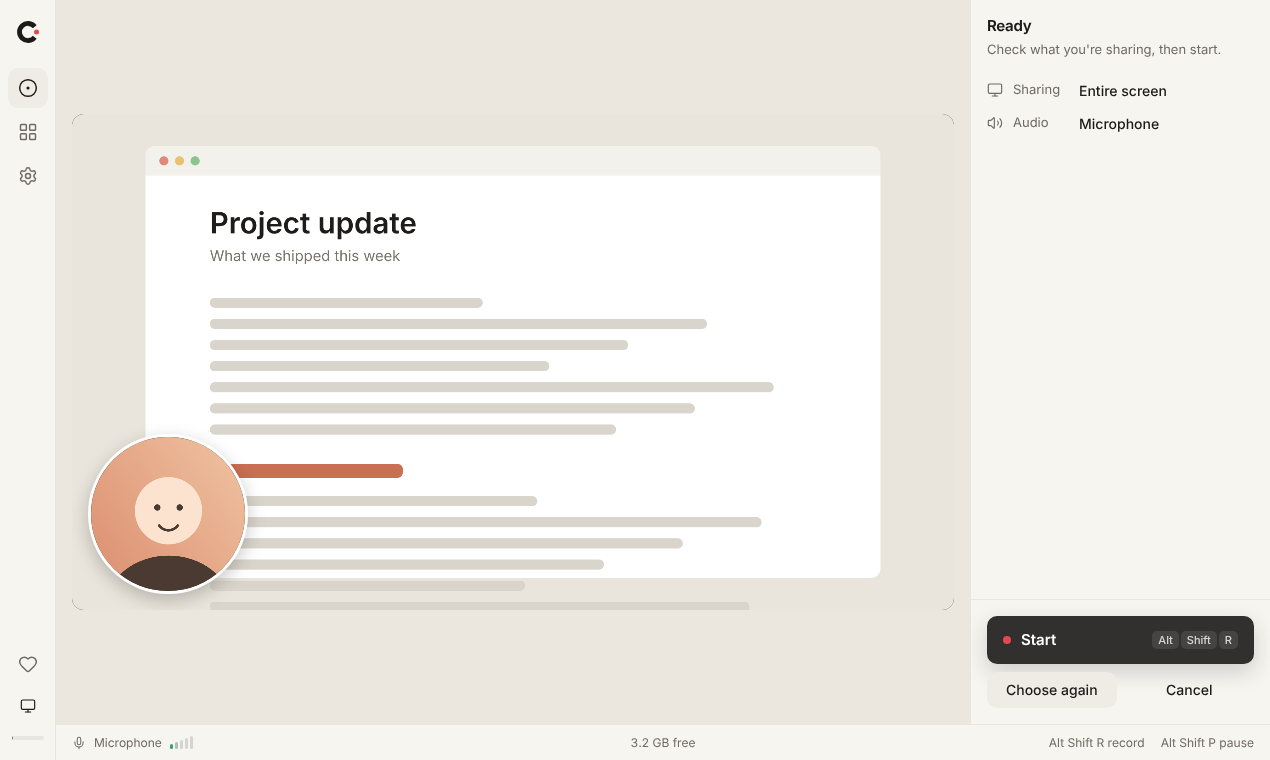
The recorder, camera on Recorder screenshot, PNG -
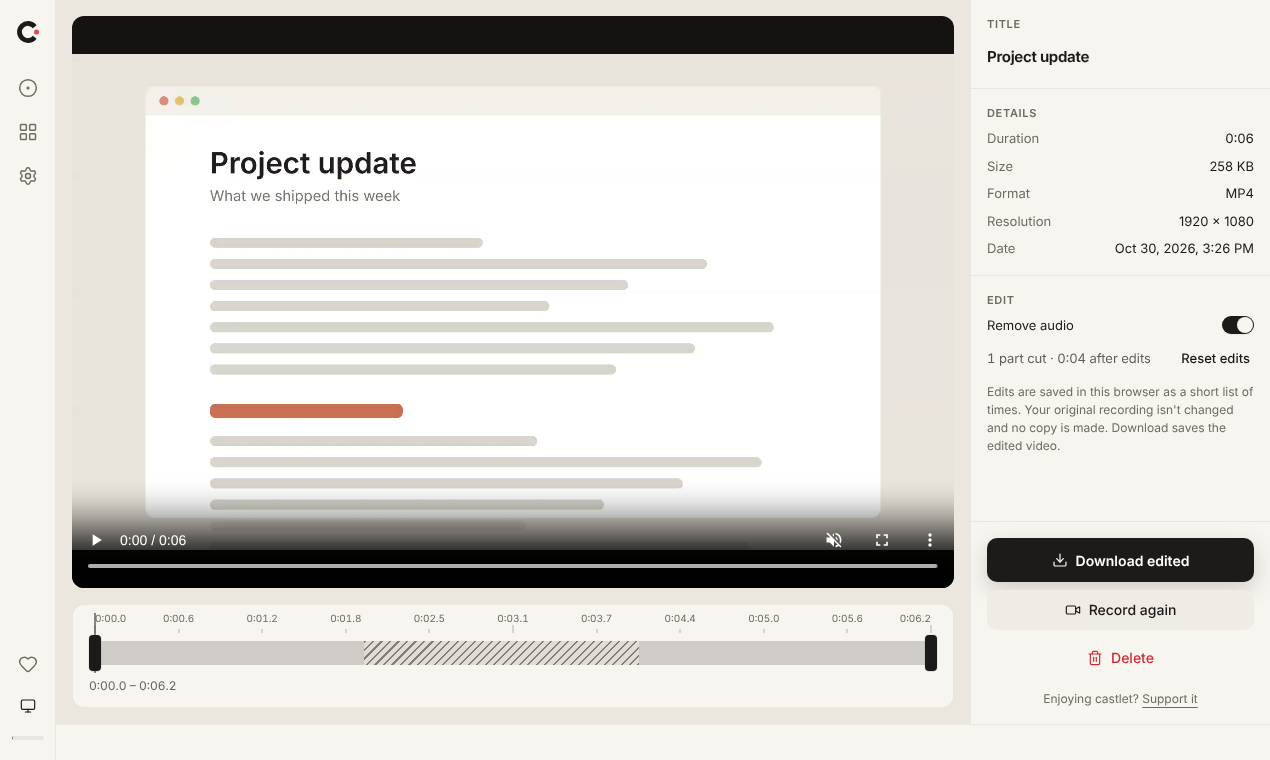
Cutting a part out Editor screenshot, PNG -
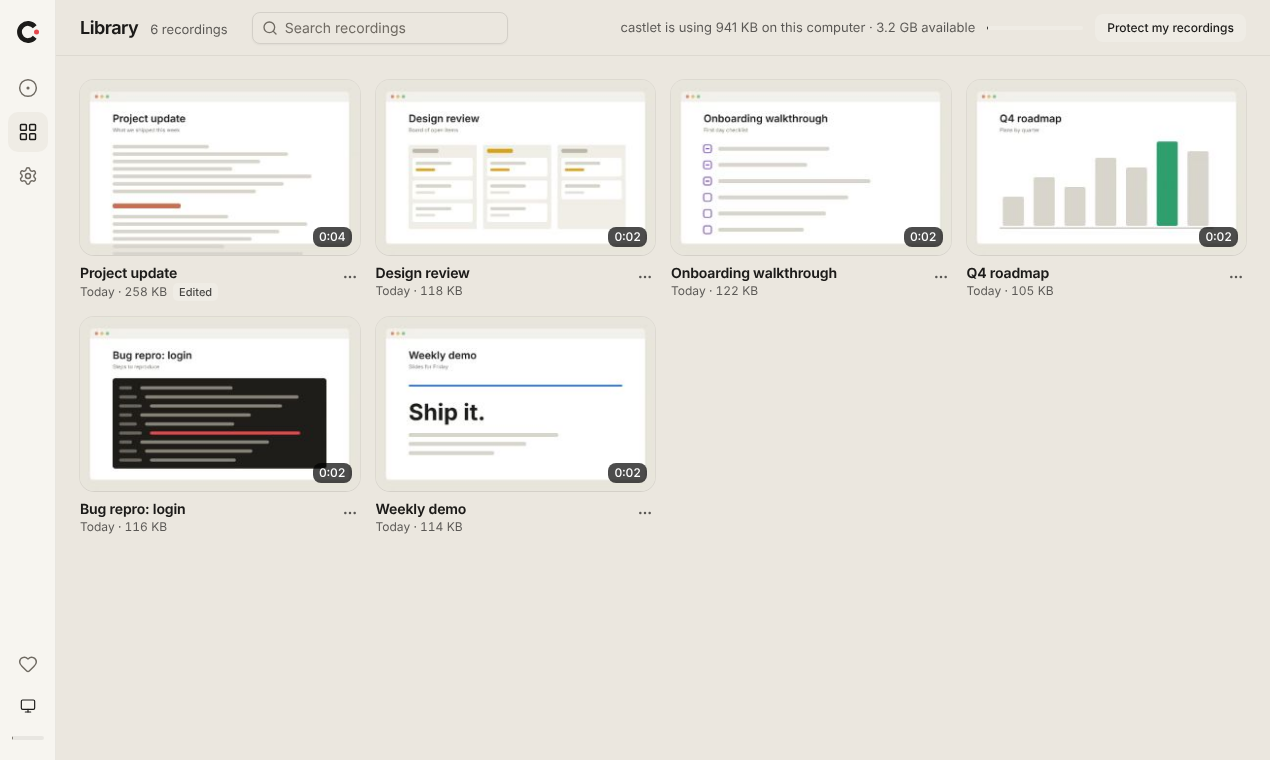
The library on your computer Library screenshot, PNG
Demo
A short video of a recording from start to download, with no sound.
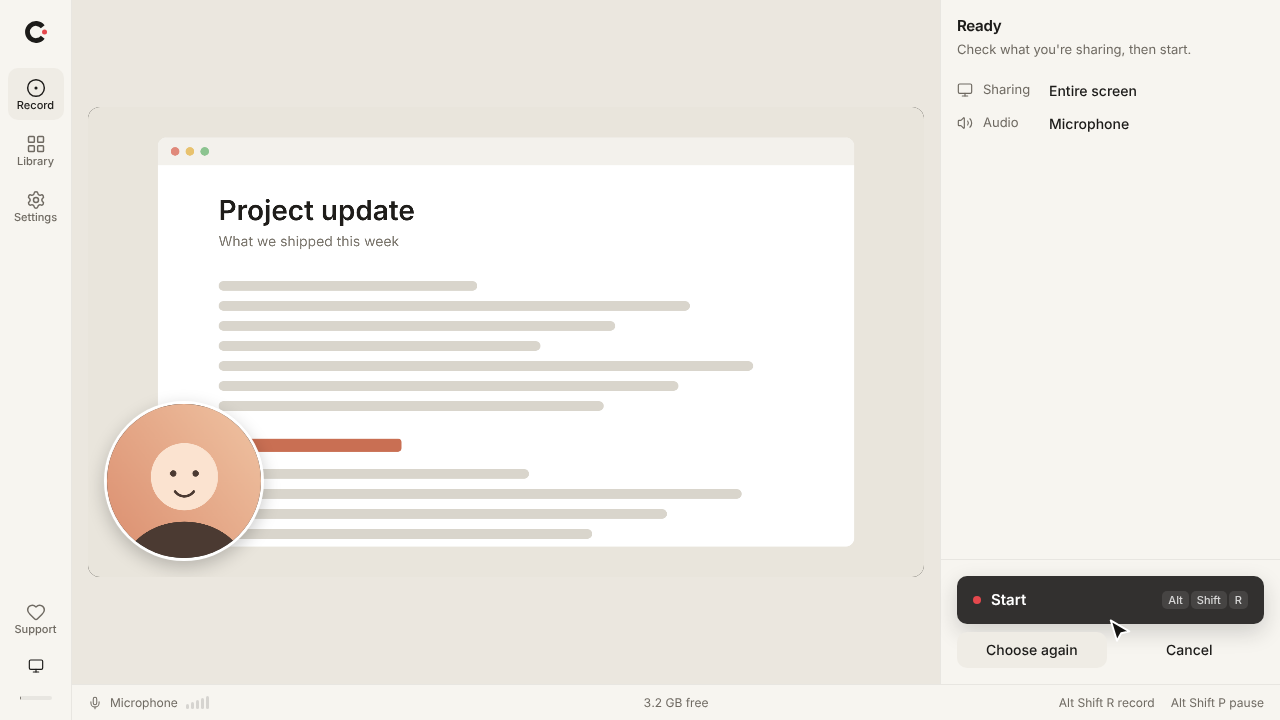
Made by Hiplip
castlet is made by Hiplip and built and run by one person. It is free, has no ads and is supported by optional donations.
Try castlet
No account, no upload, no watermark. It runs in your desktop browser.